

Custom AI Development and Workplace Automation in Houston

Most offices have the same quiet problem. Someone retypes order totals out of an inbox and into Excel. Someone rebuilds last month’s report by hand. A manager posts the same update to four social accounts, one at a time. None of it is hard. All of it eats the week.
Actual SEO Media offers custom AI development and workplace automation built to lift those chores off your staff. We are a digital marketing company, yes, but we are also a software company. We wrote our own operations platform, the ASM Operations Hub, and our team runs on it every day. Now we build the same kind of systems for other businesses in Houston, Sugar Land, Katy, The Woodlands and across Texas.
Our short answer to “what can you automate?” is: just about anything in the workplace, as long as the work is mapped first and a person keeps the final say on anything that matters.
What We Automate
Good candidates repeat. Same inputs, same steps, same result. For most offices the list looks like this:
- Reporting. Pulling numbers from several systems, formatting them and producing the weekly or monthly report on schedule.
- Inbox handling. Sorting mail into buckets, drafting replies and putting them in front of a person for a one-click send.
- Scheduling. Booking meetings, syncing calendars and sending reminders.
- Data lookups and entry. Moving information between your CRM, billing, project and analytics tools so nobody copies and pastes.
- Content drafts. First drafts of posts, captions, ads and emails that your team edits and approves.
- Lead follow-up. Follow-up steps triggered by a form, a call or a meeting.
- Meeting notes. A call gets recorded, the important details get pulled out, and follow-up messages sit ready for someone to approve.
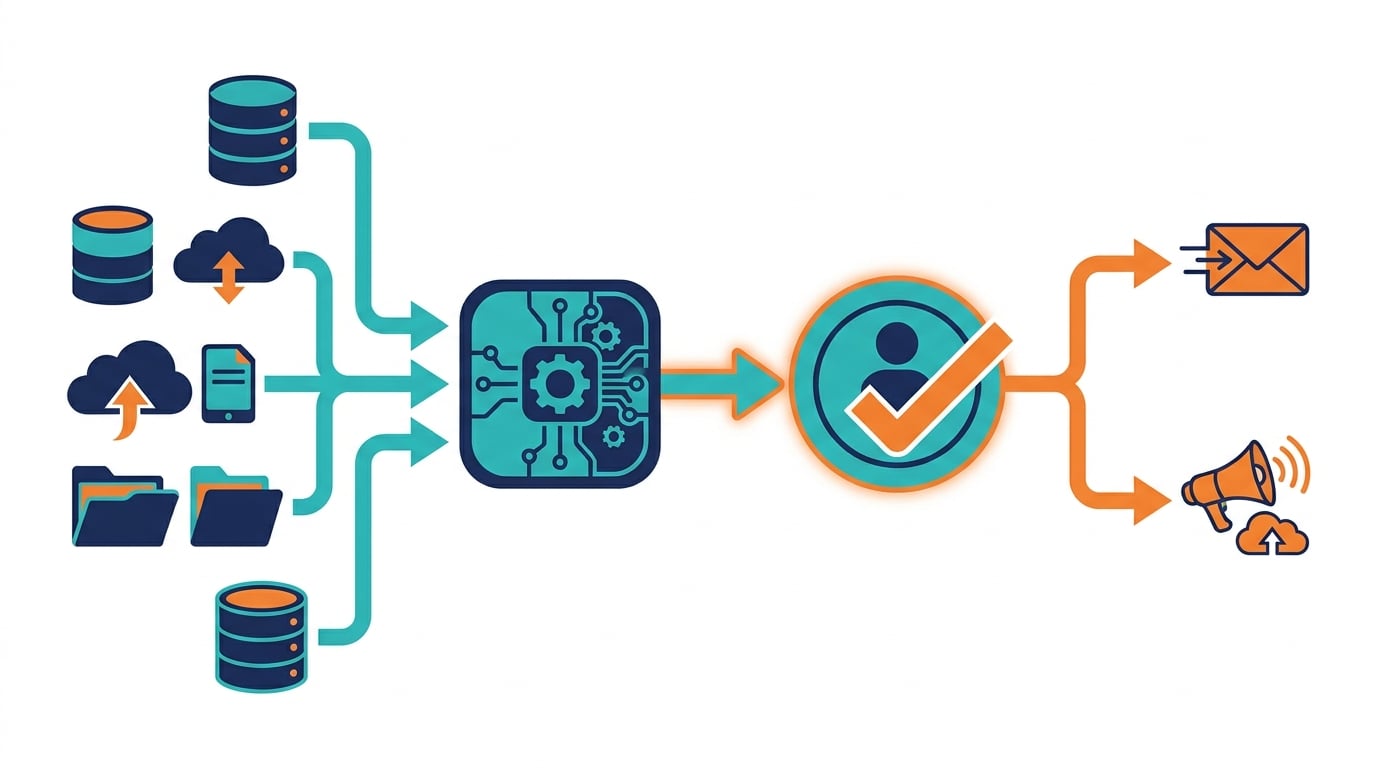
Notice the pattern. The software drafts, sorts and prepares. A person decides. We do not build tools that send, publish, spend money or delete records on their own.
Built on Our Own AI Platform
We did not add AI because it looked good on a services list. Our own staff needed it first, and it keeps getting better because they use it. Here is what runs our office, by name:
- SEO Site Audit runs more than 300 checks, including Core Web Vitals, suggests AI-powered fixes and produces white-label reports.
- Content Platform generates articles with AI, tracks every writer’s assignments on a board, and nothing goes live until someone signs off.
- Rank Tracker records daily rankings, local grid positions, search features and visibility scores.
- Keyword Research finds keywords and scores them for buyer intent and location.
- SEO Dashboard brings Google Search Console and Analytics data together with health scores.
- Social Command Center plans AI social campaigns, sends each post to a reviewer, then queues the approved ones on Meta, LinkedIn, X and TikTok.
- GBP AI Masters audits Google Business Profiles, flags where a profile disagrees with the website and keeps a post calendar that staff approve.
- Adwords Adiconda builds Google Ads setups after reviewing competitor ads and landing pages.
- Email Assistant sorts mail into six buckets, drafts replies with AI and offers one-click responses.
- Data Vault keeps every project file searchable by AI and by voice, plus a meeting assistant that captures prospect details and prepares follow-ups for staff approval.
- Launch Check opens a website in real browsers on desktop and phone and reports what is broken.
- Super Brain is an AI assistant that answers questions across every ASM system and the live web, and Big Brain keeps the rules and references the other tools follow.
Here is a small, recent example of how we work. Our team needed a faster way to write and track press releases. So we added a Press Releases section to our Content Platform. It suggests titles, writes a draft, checks it against the distributor’s editorial rules, and shows a colored light for each release: red until it is approved, yellow once it is scheduled, green with a link once it is live. Nobody has to dig through emails to find out what went out. That is the kind of tool we build: specific to one job, connected to what you already use, and easy to check.
If you want to see more of what these tools do for search work, our page on AI-powered SEO agents walks through it.
How a Custom AI Project Works
We do not start with a model and hunt for a problem. We start with your week.
- AI readiness evaluation. We look at your workflows, goals, data and the software you already pay for. You get a written list of what to automate, what should stay with people and which data gaps need fixing first.
- One pilot. We pick a single task with clear inputs and repeatable steps. One. Not ten.
- Dry run. The automation runs on a copy or on past data before it ever touches live records.
- Approval steps. Anything that sends, publishes, spends or deletes waits for a person to approve it.
- Undo records. Every automated change is logged with enough detail to reverse it.
- Connection. It plugs into the software you already pay for. No migration, no new logins for everyone.
- Training. Your staff learn how it works, where to approve and how to spot something off.
- Measure, then expand. We compare the pilot with the old manual process. If it earns its keep, we move to the next task. If it needs work, we fix it first.
According to the U.S. Small Business Administration’s guide to AI for small businesses, the sensible approach is to start small, test, and have a person review what the tools produce. We agree, and we build that into the process instead of leaving it to chance.
Safeguards in Every System
An unchecked tool can send the wrong message or overwrite good data before anyone notices. So every system we build includes:
- Human approval for anything that sends, publishes, spends or deletes.
- Undo records for every automated change.
- Dry runs before anything goes live.
- Live checks after launch, confirming it did what it was built to do.
- Care with customer data, starting with sample or past data during the build and a log of everything the automation touched.
If you like having an official yardstick, the NIST AI Risk Management Framework is a voluntary NIST framework about making AI trustworthy from design through everyday use. Putting a person at every approval step lines up with it: people stay accountable, and the system stays easy to check.
We are also honest about limits. AI is good at patterns, sorting, summarizing and first drafts. It is not good at judgment calls that depend on context it has never seen. We design around both.
Who This Is For
Custom automation fits small and mid-size businesses, agencies and service firms whose people are good at their jobs yet burn hours on the same chores each week. You do not need an IT department. Nobody on your side has to learn machine learning. What matters is having work that repeats and a willingness to let software handle the parts that do not need a person.
We work with businesses across Greater Houston from our offices in Houston, Sugar Land, Katy and The Woodlands. The industry matters less than the workflow.
AI Consulting and Readiness Evaluations
Not every business is ready to automate on day one. Some workflows change too often. Some data is too messy. Now and then, tidying up a messy process beats buying anything new.
That is why we also offer AI consulting and readiness evaluations. We map your processes and tell you plainly where automation will help and where it will not. Our CEO, Jamin Mootz, gives talks to business owners on AI automation in real offices: the wins, the misses and the jobs that still belong to people.
Start With One Task
If your team repeats the same steps every week, odds are good that software can take those steps over. Our first move is a single pilot. Once it proves itself, we add the next one.
Call (832) 834-0661 or contact Actual SEO Media to set up an AI readiness evaluation.
Frequently Asked Questions
What kinds of work can AI automate?
Work that follows the same steps each time: reports, sorting email, first drafts, moving data between systems, scheduling and follow-ups. Work that depends on judgment or relationships should stay with people. The readiness evaluation sorts one from the other.
Will AI automation replace our staff?
No. The goal is to take repetitive steps off their plate. Our tools draft and prepare, and a person reviews and approves before anything is sent, published, spent or deleted.
How is our data protected?
We build and test on sample or past data instead of live customer records, add approval steps for anything that touches important data and keep a log of every automated action so you can see exactly what happened.
Can it connect to the software we already use?
Yes. We connect automations to the CRM, email, project, billing and analytics tools you already have, which means nobody has to learn a new system, and the copy and paste disappears.
Written by Jamin Mootz, CEO of Actual SEO Media, Inc., a Houston agency that writes its own software and runs its team on it every day.
Leave a Reply