12922 Briarwest Cir
Houston, TX 77077
Phone
(713) 737-5529
info@actualseomedia.com



Your Business Profile lives on Google’s servers, not your website. When you claim and verify it, you get a dashboard to update business information, respond to reviews, post updates, and track how customers find you. Google then pulls from that data to populate the Knowledge Panel on Search and your pin on Maps.
Think of it as a mini-website that Google controls the layout for. You provide the content. Name, address, phone, categories, attributes, photos, and posts. Google decides when and where to show it. A search for “plumber near me” might display three profiles in the Map Pack at the top of results, even above traditional organic listings.
Here’s the part most people miss: Google also uses signals outside your dashboard to rank profiles. Reviews, backlinks to your site, how often you update your profile, and even how many times users call or request directions all feed the algorithm. I’ve seen a Katy client’s profile jump from page three to the top of the map pack in about nine weeks after we tightened their internal silo structure and started posting weekly updates.
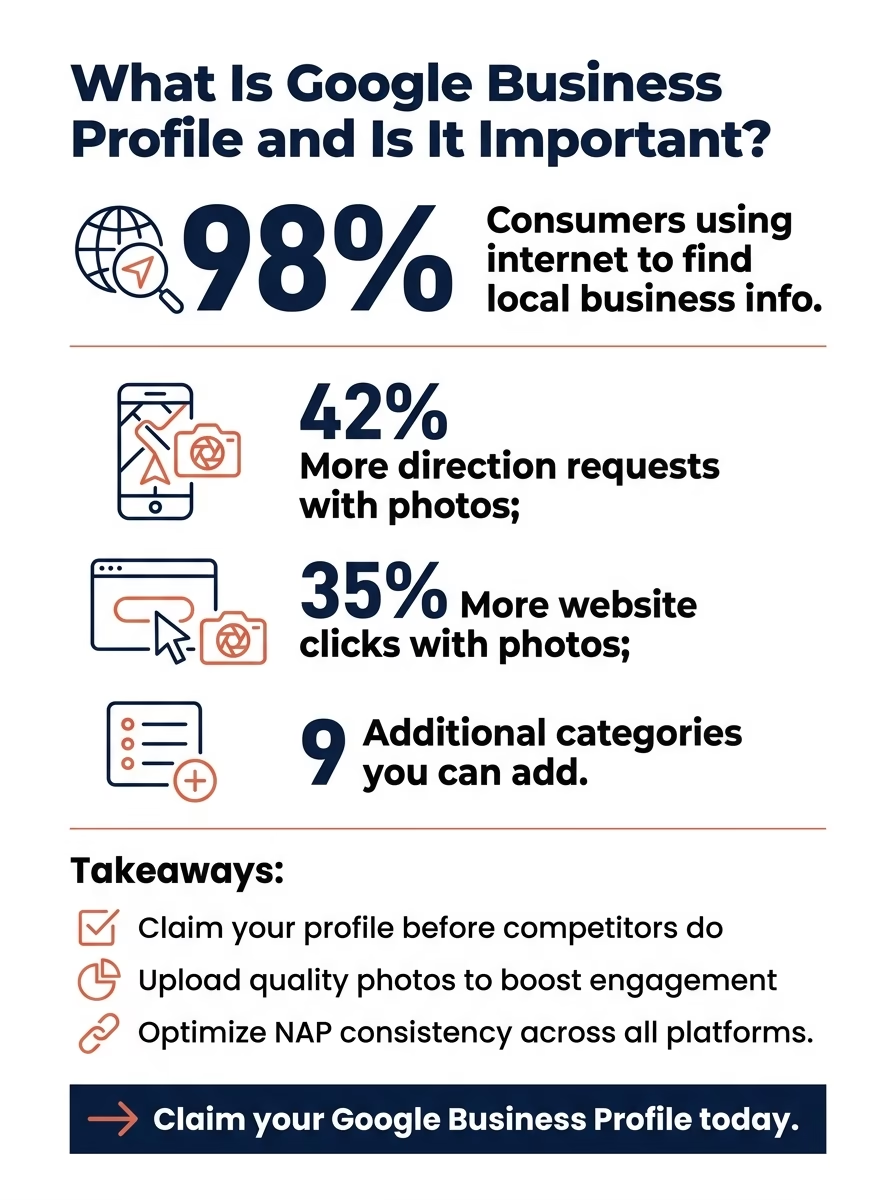
According to BrightLocal’s 2023 survey, ninety-eight percent of consumers used the internet to find information about local businesses. Your Business Profile is often the first impression you make. Sometimes the only one.
If you’re a service-area business in Houston, ranking in the Map Pack for your core keywords can drive more qualified leads than any other channel. The profile displays your star rating, review count, and photos right in the search results. Customers don’t even have to click through to your website to decide whether to call you.
Without a claimed and optimized profile, you’re invisible on Maps. Worse, if you haven’t claimed it, anyone can suggest edits. Including competitors or disgruntled former employees. We’ve audited businesses that had incorrect hours, old phone numbers, and even competitor websites listed because no one was managing the profile.
The Map Pack is that three-result box at the top of local searches. It appears above organic results, which means even if your website ranks on page one, a well-optimized profile can leapfrog you.
Competition density varies wildly by area and industry. Ranking in Sugar Land is a different fight than ranking in the Heights. The competition density isn’t even close. But across the board, profiles with complete information, fresh photos, consistent posting, and active review management tend to win the Map Pack.
Start with the basics: name, address, phone number (NAP), website, and primary category. These need to match exactly what’s on your website and in any local directory listings. Inconsistencies confuse Google and dilute your ranking signals.
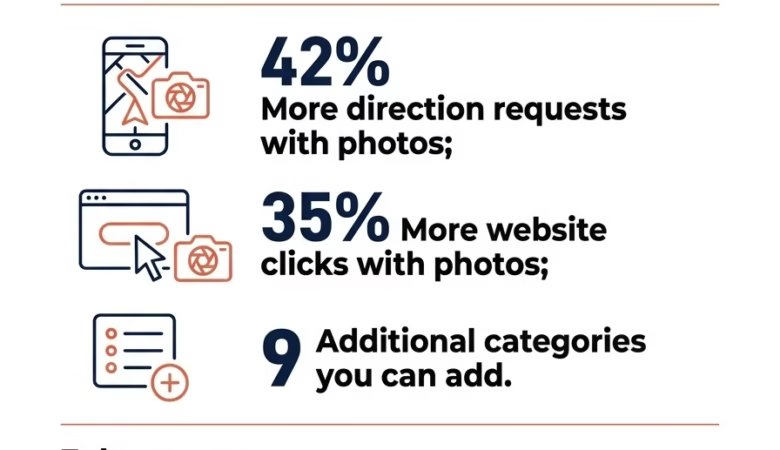
Then layer in the details. Add all relevant categories. You get one primary and up to nine additional categories. Choose attributes that apply to your business: “women-led,” “wheelchair accessible,” “free Wi-Fi,” and so on. Upload high-quality photos of your storefront, team, and work. Google reports that businesses with photos receive forty-two percent more requests for directions and thirty-five percent more clicks to their websites.
Don’t skip the business description. You have 750 characters to explain what you do, where you serve, and what makes you different. Write it for humans, not robots. If your content reads like it was written for a robot, Google’s helpful-content system treats it like one.
Reviews are social proof and a ranking factor. Encourage happy customers to leave them, and respond to every review (positive or negative) within 48 hours. A thoughtful reply to a one-star review can flip the narrative and show future customers you care.
I’ve watched profiles with hundreds of reviews but no responses get outranked by competitors with half the review count who engage consistently. Google wants to see that you’re active and invested in customer feedback.
Search for your business name on Google. If a Knowledge Panel appears on the right, look for a “Claim this business” or “Own this business?” link. If nothing shows up, head to Actual SEO Media’s local SEO services or create a new profile directly through the Google Business Profile Manager.
Google will ask you to verify that you own or manage the business. Verification methods include postcard (they mail a PIN to your address), phone, email, or instant verification if you’ve already verified your site in Search Console. The postcard is the most common and usually arrives within five business days.
Once verified, you unlock the full dashboard: insights, messaging, Q&A moderation, and the ability to post updates. Don’t just set it and forget it. Profiles that go months without updates signal to Google that the business might be inactive or less relevant.
Make sure your business name matches your legal or DBA name. Not a keyword-stuffed version. “Joe’s Plumbing” is fine. “Joe’s Best Emergency Plumber Houston Katy” will get flagged and suspended. Keyword stuffing died a decade ago. Topical depth is what moves rankings now.
Service-area businesses can hide their address if they don’t serve customers at a physical location. But you still need to verify with a real address in your service area. P.O. boxes and coworking spaces often get rejected.
Short answer: yes. Google Posts let you share updates, offers, events, and news directly on your profile. They expire after seven days (or on the event date), so you need to post regularly to keep fresh content visible.
We recommend posting at least once a week. It doesn’t have to be fancy. A photo of a recent project, a seasonal tip, or a reminder about your hours during a holiday all work. The act of posting signals activity, and active profiles tend to rank better.
The Q&A section is underused and powerful. Anyone can ask a question, and anyone can answer, including competitors. Monitor it weekly and seed it with common questions your customers ask: “Do you offer emergency service?” “What areas do you cover?” Answer them yourself so you control the narrative.
Your profile doesn’t exist in a vacuum. It works best when it’s part of a cohesive Houston SEO strategy that includes on-page optimization, technical SEO, content marketing, and link building.
For example, embedding a Google Map on your contact page creates a citation signal. Earning backlinks from local news sites, chambers of commerce, and industry directories boosts your overall domain authority, which can indirectly lift your profile’s ranking. And when your website content matches your Business Profile categories and services, Google has an easier time understanding what you do and where you’re relevant.
We’ve also seen clients improve their profile rankings by cleaning up their internal site structure. On one eight-thousand-page site we audited, the single biggest ranking drag was orphan pages nobody had linked to in years. Fixing that helped the entire domain, and the Business Profile climbed along with it.
One big mistake: letting duplicate profiles linger. If you moved offices, rebranded, or merged with another company, you might have multiple listings floating around. Google tries to merge them automatically, but it doesn’t always get it right. The result? Split reviews, conflicting information, and diluted rankings.
Another pitfall is ignoring insights. The dashboard shows you how customers found you: direct searches for your name, discovery searches for your category, how many clicked to your site, requested directions, or called. Use that data to refine your keywords, categories, and even your service offerings.
And don’t buy fake reviews. Buying backlinks is the fastest way we know to get a client de-indexed, and the same goes for reviews. Google’s algorithms have gotten scary good at detecting review fraud. One violation can suspend your entire profile.
Track your impressions in Search versus Maps. If you’re getting a lot of Map impressions but few clicks, your photos or review rating might be the problem. If Search impressions are high but Map impressions are low, you may need to tighten your service-area settings or add more location-specific content to your website.
Watch the actions customers take: website clicks, direction requests, and phone calls. A spike in direction requests after you update your hours or add new photos tells you those changes resonated. Flat or declining metrics suggest you need to refresh your content or solicit more reviews.
Finally, monitor your ranking in the Map Pack for your core keywords. Tools like BrightLocal, Whitespark, or even manual searches from different devices can show you where you stand. If you’re hovering at position four or five, small tweaks (an extra category, a batch of new photos, a few more reviews) can push you into the visible three-pack.
It’s free to create and manage, so the only investment is time. For local businesses, that time pays off faster than almost any other marketing channel. A well-optimized profile can drive dozens of leads per month without a dollar spent on ads.
That said, optimization isn’t a one-time task. Google rolls out new features, competitors update their profiles, and customer expectations shift. Treat your Business Profile like you’d treat your website. Monitor it, update it, and iterate based on performance. If you don’t have the bandwidth, partnering with a team that specializes in local SEO and Business Profile management can ensure you’re not leaving easy wins on the table.
There’s no functional difference. Google rebranded Google My Business as Google Business Profile in late 2021. The tool, dashboard, and features remain the same. If you see outdated content or help articles referring to “GMB” or “Google My Business,” they’re talking about the same platform you use today to manage your listing on Search and Maps.
Most edits (hours, phone number, website) go live within a few minutes after you save them. Larger changes, like adding or removing locations or changing your business name, may trigger a re-review by Google and can take a few days. Photos and posts typically appear immediately, but Google sometimes delays or removes content that violates guidelines.
Yes, but with limits. If you serve customers at their location (plumber, consultant, photographer), you can create a service-area business profile and hide your home address. You’ll still verify using your address, and you’ll set service areas by city or radius. If customers visit your home office regularly, you can show your address, but check local zoning laws first.
No. Service-area businesses without storefronts (contractors, cleaners, mobile mechanics) can create profiles and rank in the Map Pack. You verify with a real address in your service area, then hide it from public view. Google cares that you’re a legitimate business operating in the regions you claim, not whether you have a brick-and-mortar location.
According to industry data, visual content significantly enhances a Google Business Profile’s effectiveness. When businesses upload photos—including their logo, cover image, interior and exterior shots, products, and team—to their Google my Business account, prospective customers gain a genuine preview of what to expect before visiting. This process is key to understanding what is Google Business Profile. Research shows that businesses with ten or more photos can see thirty-five percent more clicks to their website compared to those without, highlighting the direct impact of visual engagement. These images do not require professional studio quality; authentic photos of your space, work, and people often perform better because they foster trust and transparency. Customers seek clarity on My Business Profile, and compelling visuals swiftly provide answers, as detailed by Google’s own guidance on Business Profile photos .
Experts say visual content is crucial for a compelling Google Business Profile. When businesses upload diverse photos to their Google my Business account—including their logo, cover image, interior and exterior shots, products, and team—they provide prospective customers with an authentic preview before an in-person visit. This helps users understand what is Google Business Profile and its visual impact. Industry data shows that businesses featuring 10 or more photos can experience 35 percent more clicks to their website and 65 percent more calls than those without, underscoring the power of visual engagement. Professional studio shots are not a prerequisite; instead, authentic images of your physical space, ongoing work, and staff often resonate more effectively due to their genuine nature. Ultimately, customers seek clarity, and high-quality photos efficiently address their inquiries on My Business Profile, a point reinforced by insights from Think with Google .


12922 Briarwest Cir
Houston, TX 77077
Phone
(713) 737-5529
info@actualseomedia.com
19901 Southwest Fwy #310
Sugar Land, TX 77479
Phone (281) 962-6166
sugarland@actualseomedia.com
24044 Cinco Village Center Blvd #100
Katy, TX 77494
Phone (281) 962-7777
katy@actualseomedia.com
1880 S Dairy Ashford Rd Suite 682
Houston, TX 77077
Phone (346) 946-9494
seo@actualseomedia.com
2800 Post Oak Blvd Suite 4100
Houston, TX 77056
Phone (832) 390-2407
williamstower@actualseomedia.com
10210 Grogans Mill Rd Suite 230,
The Woodlands, TX 77380
Phone (713)
201-7666
thewoodlands@actualseomedia.com
16310 Texas 249 Access Rd Suite 1303, Houston, TX 77064
Phone (832) 834-0661
tomball@actualseomedia.com
| Day | Hours |
|---|---|
| Sunday | 8:00 AM- 8:00 PM |
| Monday | 8:00 AM—8:00 PM |
| Tuesday | 8:00 AM—8:00 PM |
| Wednesday | 8:00 AM—8:00 PM |
| Thursday | 8:00 AM—8:00 PM |
| Friday | 8:00 AM—8:00 PM |
| Saturday | 8:00 AM—8:00 PM |
